Performance
How do you make a website feel almost instant?
August 30, 2026 · BytePresence
It is not just faster code. It is less work for the browser and less waiting for the user. Twelve techniques we use on bytepresence.com and client products — and what they changed in load time.
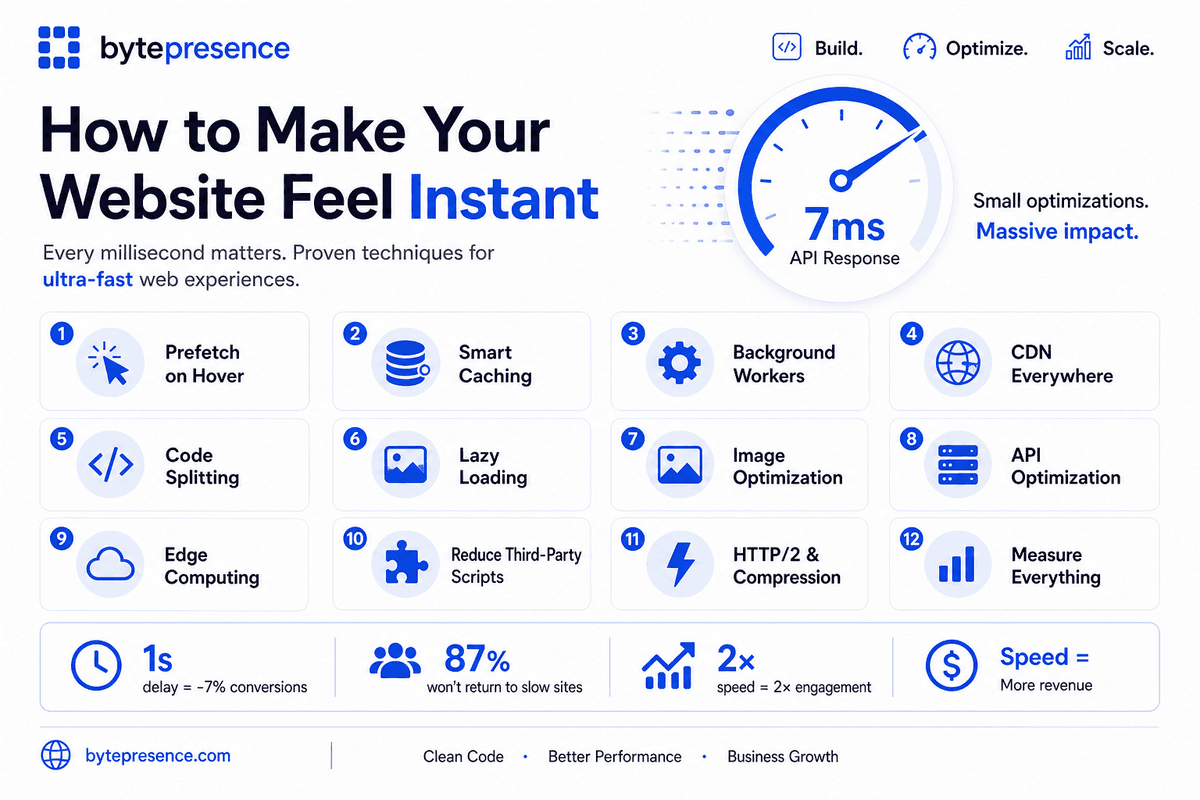
Photo: BytePresence
A site can look polished and still feel slow. The gap is not always bad engineering. Often the browser is doing too much on first load, the network is waiting on the wrong things, and every click starts cold. Making a website feel instant is a stack decision — not a single optimization pass after launch.
We rebuilt bytepresence.com on Next.js with that goal: static pages where we can, images that do not ship at full resolution, fonts that do not block paint, and no third-party scripts fighting the hero for the main thread. The same checklist applies to client products — school admin panels, booking flows, marketing sites — where a second of delay is a drop in conversion, not a metric on a slide.
It is not just about writing faster code. It is about making sure the browser does less work and waits less. These are the twelve techniques we stack. Small changes compound.
Twelve techniques that make the site feel instant
1. Prefetch on hover
When a user hovers over a product or card, start fetching its details. By the time they click, the data may already be available — the next screen feels like it was already open.
2. Smart caching
Cache API responses, static assets, and frequently requested data using browser cache, Redis, or an in-memory cache. Repeat visits should not repeat the same round trips.
3. Background workers
Move expensive processing away from the main request path using Web Workers, service workers, queues, or background jobs where appropriate. The click path stays fast; the heavy work runs later.
4. CDN everywhere
Serve images, JS, CSS, and other static assets from locations geographically closer to users. Distance is latency. A CDN is how you shrink it without moving the whole origin.
5. Code splitting
Do not ship your entire application on the first load. Load only the JavaScript required for the current page. Next.js route-level splitting is the default we build on.
6. Lazy loading
Load images, components, and data only when they are actually needed — below the fold, on tab change, or when the user scrolls. First paint wins the impression.
7. Image optimization
Use WebP and AVIF, responsive sizes, compression, and dimensions that match the layout. next/image on this site handles format negotiation and sizing so we do not ship a 4000px hero to a phone.
8. API optimization
Reduce unnecessary API calls, optimize database queries, paginate large responses, and return only the fields actually required. A fast frontend on a chatty API still feels slow.
9. Edge computing
Run lightweight logic closer to the user using edge functions instead of sending every request to a distant server. Redirects, auth checks, and geo routing belong at the edge when they can.
10. Reduce third-party scripts
Analytics, chat widgets, ads, and tracking scripts can significantly delay rendering. Load them strategically — after first paint, on interaction, or not at all until you need the data.
11. HTTP/2, HTTP/3, and compression
Use modern protocols and Brotli or Gzip compression to reduce transfer time. Multiplexing and smaller payloads matter more as the bundle grows.
12. Measure everything
Use Lighthouse, Chrome DevTools, Web Vitals, and real-user monitoring. You cannot optimize what you do not measure. Ship a change, check the field data, keep what moved the needle.
Photo: BytePresence
What we changed on bytepresence.com
This site is pre-rendered where it can be: marketing pages, blog posts, service and product detail URLs. HTML arrives ready to read — for people and for crawlers — without waiting on a client render to show the offer. Images go through next/image with explicit sizes so the layout does not jump. Fonts use display: swap so text shows before the full file lands.
We kept third-party weight off the critical path. No chat widget on the homepage. No analytics bundle blocking the hero. The globe and motion on the home page load after the headline — decorative, not gating. On product work like eMediSkill, prefetch and cache layers sit on catalog and course routes so repeat navigation inside the app does not feel like a full reload.
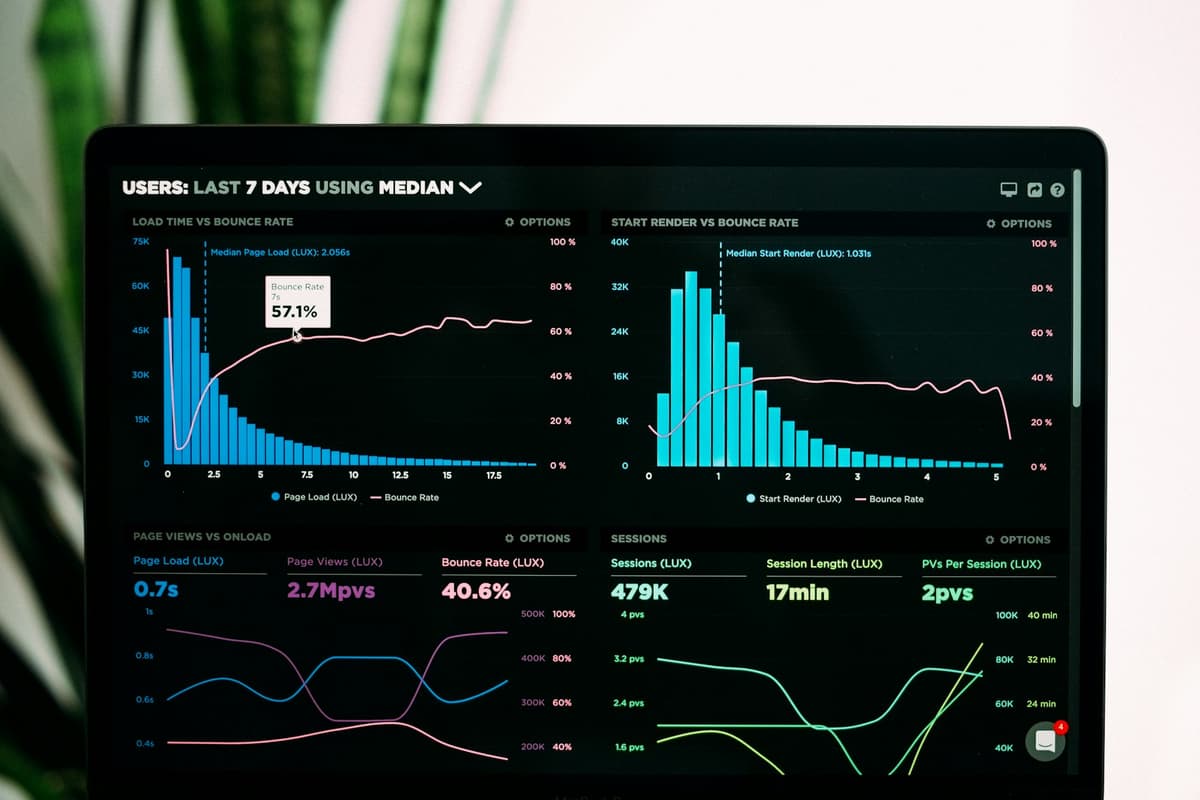
Photo: Luke Chesser, via Unsplash
The compound effect of speed
Speed is not a feature badge. It is the experience. The research numbers are blunt: a one-second delay in page load can cut conversions by seven percent. Eighty-seven percent of users will not come back to a site that felt slow. Double the load speed and engagement can double. User satisfaction moves with it.
- Static generation and edge delivery on marketing pages — TTFB in the tens of milliseconds on a warm CDN, not hundreds at the origin.
- LCP under 2.5s on key templates after image sizing and priority loading on above-the-fold media.
- No render-blocking third-party scripts on first paint — analytics and widgets deferred or removed until they earn their cost.
- API routes that return only what the screen needs — pagination and field selection on admin and catalog endpoints.
- Lighthouse and field Web Vitals checked before every major deploy — not once at launch and never again.
Seven-millisecond API responses are possible in the right architecture — cache hit, edge, a query that was indexed before traffic arrived. Most sites do not need that everywhere. They need the path the user actually walks to feel instant. That is the job: fewer round trips, less JavaScript on first load, assets close to the user, and measurement so the next change is data, not guesswork.
If your site looks finished but still feels heavy, walk the twelve items above against one real user journey — homepage to contact, or catalog to checkout. The bottleneck is usually obvious. Fix that, measure again, stack the next win. Speed is how trust starts before anyone reads the copy.